
Lighting retrofit estimates from real audit data.
Build LED replacement options from manufacturer catalogs, then compare cost, savings, rebates and margin side by side. The estimate starts from the fixtures recorded on site, not a blank spreadsheet.
Design and price the retrofit in one place.
Product data, costs, savings and rebate estimates live in the same project as the audit, so every option is priced from the same fixture counts and schedules.
Manufacturer catalogs
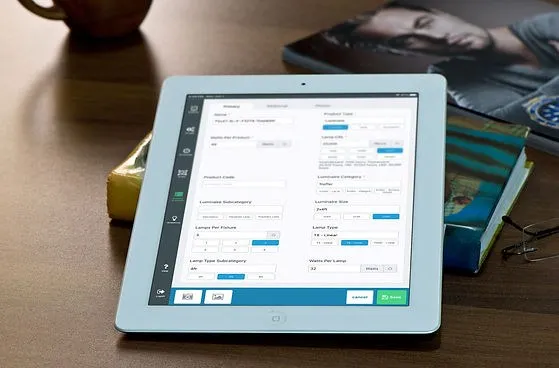
Search, price and specify products from participating manufacturers, who keep their product information current.
LuxSmart product search
Find and select replacement products with LuxSmart, the Retrolux product search and recommendation engine.
Unlimited solutions
Create as many solutions and ECMs as the project needs. Change a solution once and the change applies across the project.
Costs and margins
Add material and labor costs, then see project cost and margin for each option.
Energy and cost savings
Savings follow DOE guidelines for lighting energy and cost, including the effect on heating and cooling.
Rebate estimates
Estimate utility rebates from the utility’s program and the solution you choose, with rebate details updated daily for supported utilities.
From fixture counts to a priced option.
Estimating takes the longest when data has to be copied between tools. In Retrolux the audit, the products and the costs are already connected.
- Step 1
Start from the audit
The fixtures, schedules and areas recorded on site are already in the project.
- Step 2
Choose replacements
Select LED products from manufacturer catalogs or from products you have uploaded, and build solutions area by area.
- Step 3
Compare the options
Compare cost, savings, rebates and margin across solutions, then carry the chosen option into the proposal.
An estimate you can stand behind.
Customers question numbers that look made up. Estimates built from recorded fixtures and documented calculations are easier to explain.
Consistent numbers
The same audit data drives every option, so solutions are compared on equal terms.
Savings with heating and cooling effects
Lighting savings include the effect of less lighting heat on heating and cooling, following DOE guidelines.
Rebates in the business case
Estimated rebates sit alongside cost and payback, so the customer sees the net investment.
Questions about retrofit estimating.
Browse all frequently asked questionsWhere does the product data come from?
Will using Retrolux change my product pricing?
How are energy savings calculated?
Are rebates exact or estimated?
Can I compare more than one replacement option?
Guides for this part of the workflow.
Select the right solution
How to choose the right solution for a lighting retrofit project.
Financial metrics for efficiency projects
How to compare the costs and benefits of a solution with the current system.
Utility rebates: what to know
A practical webinar on utility rebates for lighting teams.
Leverage Retrolux manufacturers
Making the most of Retrolux manufacturer partnerships.
Price your next retrofit in Retrolux.
Bring a recent project. We’ll show how the audit becomes priced replacement options with savings and rebate estimates.